

Your full reliability stack in one place
All-in-One Reliability
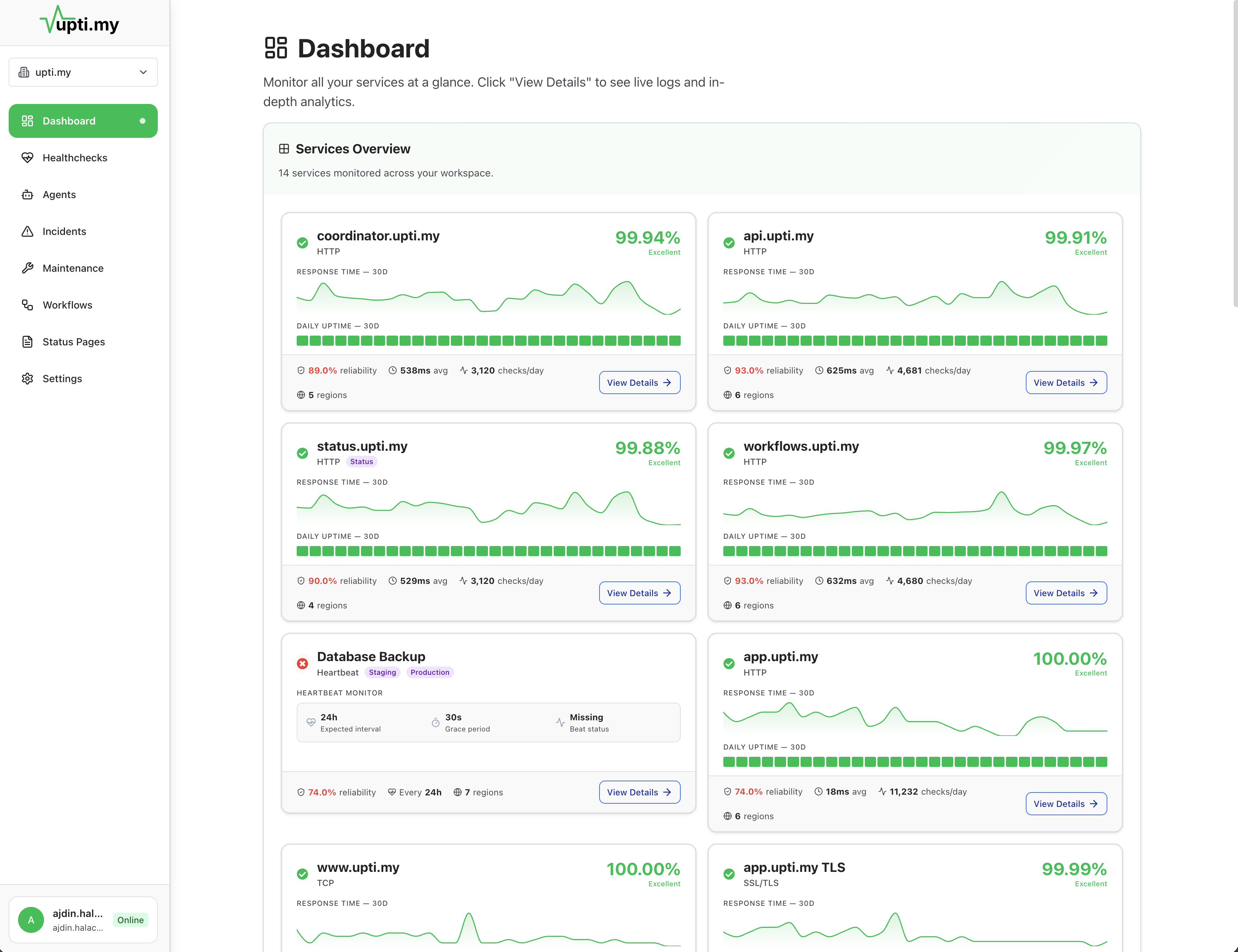
Uptime monitoring, cron jobs, workflow monitoring, incident management, status pages, alert routing, and self-healing. One platform, one subscription, one login.
- 03:06:00website · 200 OK · 142 ms
03:07 · the problem
The Hidden Cost of Separate Tools
A typical reliability setup might include: an uptime monitor ($20/mo), a cron job monitor ($15/mo), an incident management tool ($30/mo), a status page service ($25/mo), and an alert routing tool ($20/mo). That is $110/mo and five separate dashboards before you add team seats.
The real cost is not the subscriptions. It is the time spent switching between tools during an incident, the context that gets lost between systems, and the manual work required to keep them in sync.
When your uptime tool detects a failure but your incident tracker does not know about it, you are already behind.
03:08 · where it breaks
What One Platform Gives You
Monitoring
Alerting
Incident Management
Status Pages
Self-Healing
Workflow Automation
07:30 · how Uptimy fixes it
Before and After
With separate tools
- 3-6 separate logins and dashboards
- $80-200+/mo in combined subscriptions
- Manual copy-paste between monitoring and incident tools
- Status page updated by hand during outages
- Escalation chains configured in a different tool than monitoring
- Post-incident timelines reconstructed from Slack and memory
- Integrations break when one vendor changes their API
With Uptimy
- One login, one dashboard, one configuration
- One subscription covering the full stack
- Incidents created from check failures with full context
- Status page updates automatically from incidents
- Alert routing configured alongside the checks it monitors
- Full timeline preserved automatically for every incident
- No third-party integration points to maintain
17:00 · questions
Frequently Asked Questions
It depends on your stack. Uptimy covers uptime monitoring, API monitoring across multiple protocols, cron jobs, webhooks, queues, workflow monitoring, incident management, status pages, alert routing, and self-healing. If you use separate tools for these, Uptimy can consolidate them. It does not replace log aggregation or APM tools.
You can use any part of the platform independently. Many teams start with uptime and cron monitoring, then add incident management and status pages as they grow. You are not required to use everything on day one.
For most teams, one Uptimy subscription costs less than the combined subscriptions for a separate uptime monitor, cron monitor, incident manager, status page service, and alert routing tool. Check our pricing page for current details.
Setting up basic uptime checks takes minutes. Migrating cron monitoring is typically one line of code per job. Workflow monitoring requires instrumenting each step. Most teams are fully migrated within a week.
20:00 · keep exploring
Related Topics
Compared to Uptime Monitoring
Why uptime-only checks are not enough for production reliability.
Incident Management
How incidents connect to monitoring and status pages.
Alert Routing
Route alerts to the right team with escalation and deduplication.
Comparison Table
Side-by-side feature comparison with other tools.
23:00 · goodnight
Stop wondering if production is okay.
Tonight, if something breaks, you will know first — with the context to fix it and a status page that keeps customers informed. And if nothing breaks, you get to sleep.
Free plan available · No credit card required · Cancel anytime